Mac malware scanning — honest limits
AI Agent Clean includes a Protection module inside Smart Scan: local checks for known threats, suspicious Launch Agents, and common adware patterns. It complements Apple’s built-in defenses — and we are transparent about what it cannot do.
Get free trialWhat Mac users actually need to know
macOS ships with XProtect and Gatekeeper. Most Mac “malware” in 2026 is adware, browser hijackers, or unwanted Launch Agents — not kernel-level rootkits. A utility app cannot guarantee 100% detection of zero-day threats any more than a single antivirus product can.
AI Agent Clean focuses on practical checks: known bad signatures, persistence mechanisms (LaunchAgents/Daemons), and privacy-related items like outdated browser extensions — all scanned locally without uploading your files.
Protection module in Smart Scan
Run Protection as part of Smart Scan or on its own. Results list findings with severity and recommended action. Quarantine and removal follow the same preview-first workflow as cleanup modules.
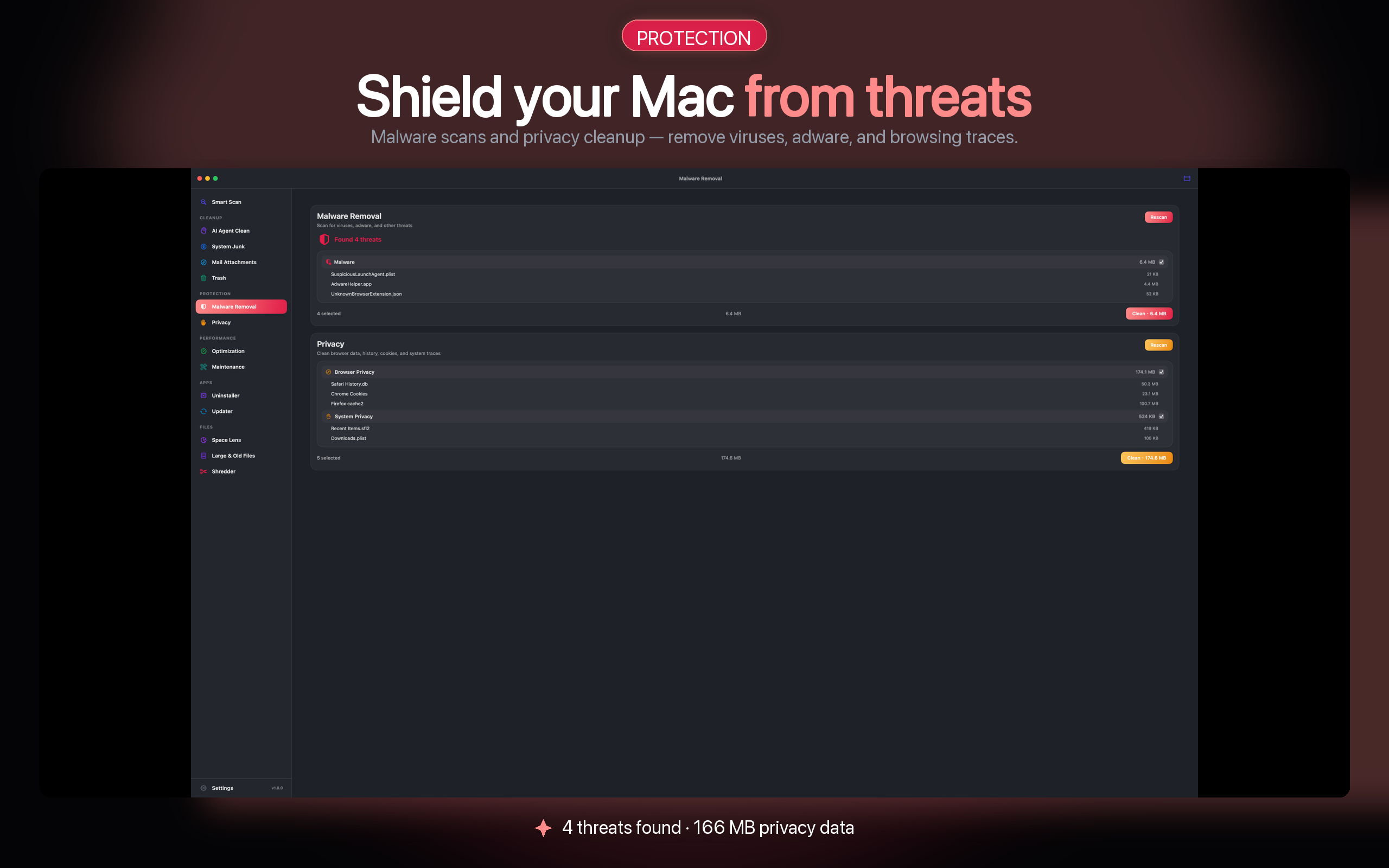
- Local signatures — pattern database updated with app releases.
- Launch Agent audit — surfaces unknown persistence entries.
- Privacy helpers — flags risky browser extensions and stale permissions.
- No cloud scan — your file contents stay on device.
What we do not claim
- Not enterprise AV — no EDR, no managed fleet console.
- Not real-time kernel hook — scan-on-demand, not always-on monitoring.
- Not a XProtect replacement — Apple’s layer still runs automatically.
- Review findings — false positives are possible; you confirm removals.
Malware scanner FAQ
Does AI Agent Clean replace antivirus software?
No. It adds a convenient local scan for common Mac threats and unwanted software. Organizations with compliance requirements should use dedicated endpoint protection.
How often is the signature database updated?
Updates ship with app releases via the Mac App Store or GitHub releases for the open-source build. Enable automatic updates for the latest patterns.
Does scanning upload my files?
No. Scans run entirely on your Mac. Optional anonymous diagnostics (off by default) never include file contents or full paths.
What should I do if something suspicious is found?
Review the item details, search the path if unsure, and quarantine or remove after confirmation. When in doubt, consult Apple Support or a security professional.
Get your free trial
Open the Mac App Store to install AI Agent Clean. Install to start your trial — no email required.